
CNC Course
Master CNC machining from the ground up — from reading engineering drawings to writing G-code, setting up machines, and inspecting finished parts. This course covers everything a serious machinist needs to operate, program, and optimise CNC equipment with confidence. Whether you are entering the trade or levelling up your shop skills, this is the training that gets you there.
What you will learn:
You will build a complete CNC skill set starting with machine anatomy, coordinate systems, and shop safety. From there, you will learn to read technical drawings and GD&T symbols, select cutting tools, and calculate speeds and feeds for real materials. You will write G-code programs by hand and generate toolpaths using CAM software. Machine setup, work offsets, and program prove-out are covered in full. The course also includes quality control, precision measurement, and an introduction to multi-axis machining, lean manufacturing, and Industry 4.0 technologies.
How you study in a practical way CNC Course
How you practise CNC Course
For companies looking to train their teams
With Dedika for businesses, the course includes exercises and examples tailored to your own business and the way your company needs.

Course content
8 Chapters • 39 LessonsDuration between 4 and 360 hours (you decide)
Chapter 1HideHide detailsSee detailsIntroduction to CNC Machining
Introduction to CNC Machining
Lesson 1 • Safety Standards and Shop Practices
Covers PPE requirements, lockout/tagout procedures, and hazard identification. Safe habits established here apply throughout every subsequent chapter.
Lesson 2 • CNC Coordinate Systems
Introduces Cartesian coordinates, absolute vs. incremental positioning, and machine vs. work offsets. Coordinate mastery is prerequisite for all programming tasks.
Lesson 3 • CNC Machine Types and Applications
Identifies mills, lathes, routers, plasma cutters, and EDM machines. Connects machine type to appropriate manufacturing application.
Lesson 4 • History and Evolution of CNC
Traces machining from manual to numerical control to modern CNC. Provides context for why CNC dominates precision manufacturing today.
Lesson 5 • Machine Anatomy and Components
Examines axes, spindle, tool changer, controller, and drive systems. Understanding components enables safe operation and effective troubleshooting.
Chapter 2HideHide detailsSee detailsEngineering Drawings and GD&T
Engineering Drawings and GD&T
Lesson 1 • GD&T Symbols and Datums
Introduces flatness, straightness, circularity, cylindricity, and datum reference frames. GD&T symbols define functional requirements beyond simple dimensional tolerances.
Lesson 2 • Reading Orthographic Projections
Teaches first- and third-angle projection, views, and section cuts. Drawing literacy is essential before translating designs into machine instructions.
Lesson 3 • Dimensions, Tolerances, and Fits
Explains nominal dimensions, bilateral and unilateral tolerances, and clearance, interference, and transition fits. Tolerance knowledge drives tool and process selection.
Lesson 4 • Surface Finish Specifications
Covers Ra, Rz, and surface texture symbols on drawings. Surface finish requirements directly influence feed rate, speed, and tooling decisions.
Chapter 3HideHide detailsSee detailsCutting Tools and Workholding
Cutting Tools and Workholding
Lesson 1 • Cutting Tool Geometry and Materials
Explains rake angle, relief angle, helix angle, and tool materials including HSS, carbide, and coatings. Geometry and material directly determine tool life and cut quality.
Lesson 2 • Tool Holders and Spindle Interfaces
Examines collet chucks, end mill holders, shrink-fit, and hydraulic holders. Proper holder selection minimizes runout and maximizes rigidity.
Lesson 3 • Tool Life and Wear Management
Identifies flank wear, crater wear, chipping, and built-up edge. Recognizing wear patterns enables timely tool changes and consistent part quality.
Lesson 4 • Workholding Devices and Fixturing
Introduces vises, chucks, fixtures, and vacuum tables. Secure, repeatable workholding is foundational to dimensional accuracy and operator safety.
Lesson 5 • End Mills, Drills, and Boring Tools
Covers flat, ball, and corner-radius end mills, twist drills, reamers, and boring bars. Each tool type is matched to specific feature geometry and tolerance requirements.
Chapter 4HideHide detailsSee detailsSpeeds, Feeds, and Cutting Parameters
Speeds, Feeds, and Cutting Parameters
Lesson 1 • Feed Rate Calculation
Calculates feed rate from chip load, number of flutes, and RPM. Proper feed rate balances material removal rate with tool deflection and surface quality.
Lesson 2 • Material-Specific Parameter Tables
Provides parameter ranges for aluminum, steel, stainless, titanium, and plastics. Material properties dictate starting parameters before in-process optimization.
Lesson 3 • In-Process Parameter Optimization
Teaches overrides, listening for chatter, and iterative adjustment during cutting. Real-time optimization skills reduce scrap and improve throughput.
Lesson 4 • Depth and Width of Cut
Defines axial depth of cut, radial depth of cut, and their effect on cutting forces. Balancing DOC and WOC optimizes cycle time and machine rigidity.
Lesson 5 • Cutting Speed and Spindle RPM
Derives spindle RPM from surface footage and tool diameter for milling and turning. Correct speed prevents premature tool failure and poor surface finish.
Chapter 5HideHide detailsSee detailsG-Code and M-Code Programming
G-Code and M-Code Programming
Lesson 1 • Program Structure and Syntax
Explains program number, block format, word address, and end-of-program codes. Correct syntax is mandatory for controller acceptance and safe execution.
Lesson 2 • Subprograms and Parametric Coding
Introduces M98/M99 subprogram calls and variable-based parametric programming. Reusable code structures reduce errors and programming time for repeated features.
Lesson 3 • Tool and Work Offset Codes
Uses G43/G44 tool length compensation, G41/G42 cutter radius compensation, and G54–G59 work offsets. Offsets enable flexible, repeatable setups without reprogram.
Lesson 4 • Motion G-Codes
Covers G00 rapid, G01 linear feed, G02/G03 circular interpolation, and G28 home. Motion codes define every tool path executed by the machine.
Lesson 5 • Canned Cycles for Holes
Programs G81 drill, G83 peck drill, G84 tap, G85 bore, and G76 fine bore cycles. Canned cycles reduce program length and standardize hole-making operations.
Chapter 6HideHide detailsSee detailsCAM Software and Toolpath Generation
CAM Software and Toolpath Generation
Lesson 1 • Toolpath Simulation and Verification
Uses backplot, solid verify, and gouge detection to validate toolpaths before cutting. Simulation eliminates costly crashes and scrapped parts on the machine.
Lesson 2 • 2D and 2.5D Toolpath Strategies
Programs contour, pocket, facing, drilling, and slot operations in CAM. These strategies cover the majority of prismatic part features encountered in production.
Lesson 3 • CAM Workflow and Model Import
Covers CAD-to-CAM data flow, file formats, and model preparation for machining. A clean model import prevents downstream toolpath errors and wasted setup time.
Lesson 4 • Post-Processing and NC Output
Configures post-processors to output machine-specific G-code from generic toolpaths. Correct post-processing ensures code runs safely on the target controller.
Lesson 5 • 3D Surface Machining Strategies
Applies parallel, scallop, contour, and pencil toolpaths to complex surfaces. 3D strategies extend CAM capability to molds, dies, and sculptured components.
Chapter 7HideHide detailsSee detailsMachine Setup and Operation
Machine Setup and Operation
Lesson 1 • Workpiece Mounting and Alignment
Covers vise tramming, part indicating, and datum surface preparation. Precise alignment ensures the machined coordinate system matches the programmed one.
Lesson 2 • Work Offset Setting and Probing
Sets G54 work offset using edge finder, probe, or tool touch-off. Correct work offset ties the program coordinate origin to the physical part.
Lesson 3 • Tool Loading and Length Measurement
Loads tools into holders, measures length with tool setter or gauge, and enters offsets. Accurate tool length data prevents crashes and dimensional errors.
Lesson 4 • Pre-Setup Planning and Documentation
Reviews setup sheets, tool lists, and operation sequences before touching the machine. Thorough planning reduces setup time and prevents costly mistakes.
Lesson 5 • Program Prove-Out and First Article
Runs programs in single-block, dry-run, and reduced-feed modes before full production. Prove-out confirms dimensional accuracy and safe tool motion before committing stock.
Chapter 8HideHide detailsSee detailsQuality Control and Inspection
Quality Control and Inspection
Lesson 1 • CMM and Optical Measurement
Introduces coordinate measuring machines, vision systems, and laser scanners. These tools verify complex geometry and GD&T callouts beyond manual gauge capability.
Lesson 2 • Precision Measurement Instruments
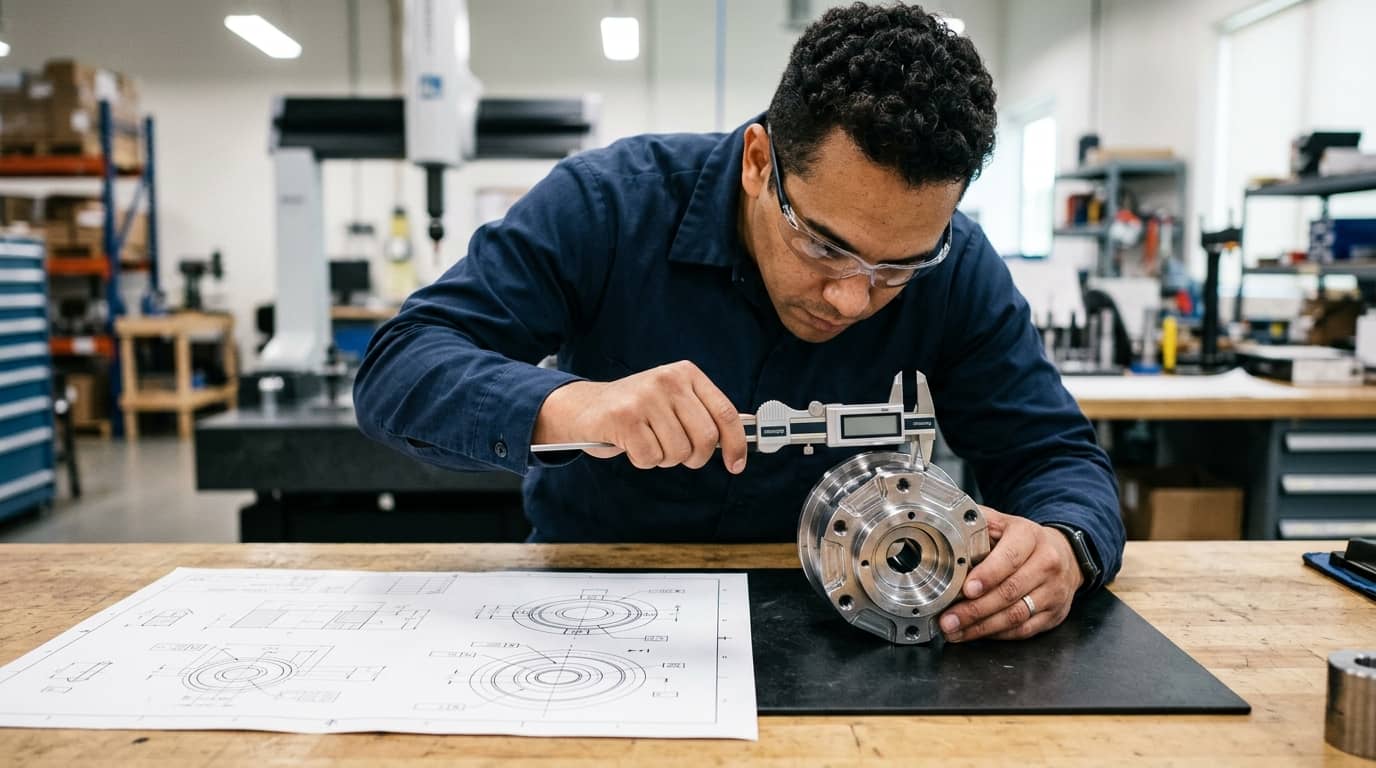
Covers micrometers, calipers, bore gauges, and height gauges with calibration procedures. Instrument selection and proper technique determine measurement accuracy.
Lesson 3 • Surface Finish Measurement
Uses contact profilometers and non-contact methods to measure Ra and Rz values. Surface finish verification confirms toolpath and parameter choices met drawing requirements.
Lesson 4 • Statistical Process Control Basics
Applies control charts, Cp, and Cpk to monitor machining process stability. SPC data drives proactive adjustments before parts go out of tolerance.
Lesson 5 • Non-Conformance and Corrective Action
Documents defects, performs root cause analysis, and implements corrective actions. Systematic non-conformance handling prevents recurrence and protects delivery schedules.
Your valid completion certificate
This course is for you:
Aspiring machinists: ready to break into precision manufacturing with real skills.
Career changers: transitioning from unrelated trades into high-demand CNC roles.
Mechanical engineering students: bridging the gap between classroom theory and shop floor.
Hobbyist makers: wanting to operate CNC equipment beyond basic trial-and-error methods.
Production workers: seeking promotion by adding programming and setup expertise.
Military veterans: translating technical discipline into a skilled manufacturing career.
What our students say
Your classes are perfect. I purchased the one-year package and finally have the opportunity to follow various topics of my interest without needing to change platforms... I thank you for everything you do, I've already recommended you to other people...

I like how the lessons are straight to the point and how I can change chapters and skip content that I don't need.

I like the content and the way of presentation and video transcription, which speeds up the process!

The platform is fast, simple to use. The diversity of content and complementary videos help a lot in learning.

Top qualifications



FAQs
Who is Dedika?
Is the certificate valid in India?
Are the courses free?
What is the course workload?
What are the courses like?
How do the courses work?
What is the duration of the courses?
What is the cost or price of the courses?
What is an EAD or online course and how does it work?
PDF Course