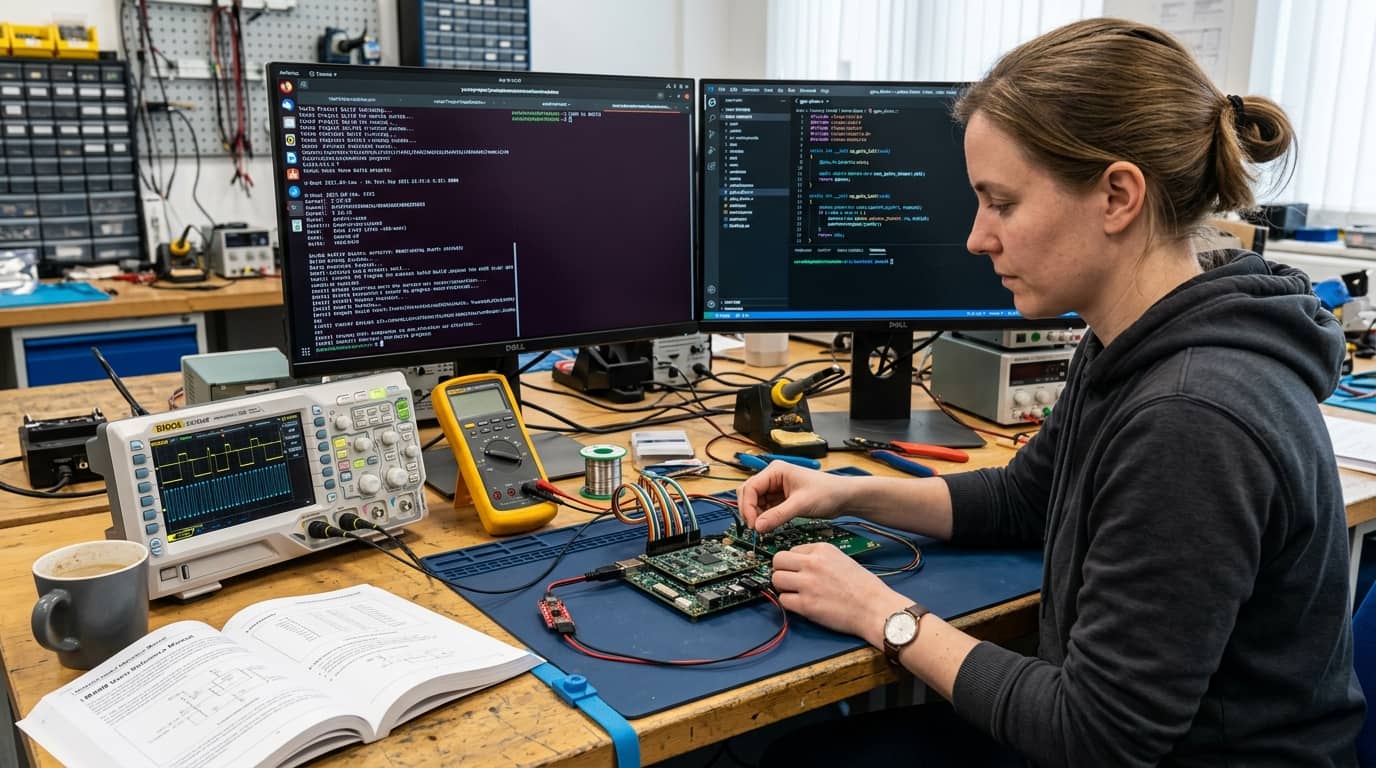
Embedded Linux Course
Master every layer of embedded Linux, from bootloader and kernel to root filesystem and device drivers. This course gives you the hands-on skills to build, configure, and deploy production-grade embedded Linux systems on real hardware. Whether you are breaking into embedded engineering or leveling up your expertise, this is the most complete technical path available.
What you will learn:
You will learn how to set up cross-compilation toolchains, configure and build the Linux kernel, and construct minimal root filesystems using BusyBox. You will work with U-Boot to manage the full embedded boot sequence and write Linux device drivers for GPIO, I2C, SPI, and interrupt-driven peripherals. The course covers Yocto Project and Buildroot for automated image generation, plus system optimisation techniques including boot time reduction, memory footprint minimisation, and security hardening. Advanced topics include real-time Linux with PREEMPT_RT, remote debugging with GDB, and over-the-air update strategies for production deployments.
How you study in a practical way Embedded Linux Course
How you practise Embedded Linux Course
For companies looking to train their teams
With Dedika for businesses, the course includes exercises and examples tailored to your own business and the way your company needs.

Course content
8 Chapters • 38 LessonsDuration between 4 and 360 hours (you decide)
Chapter 1HideHide detailsSee detailsLinux and Embedded Systems Foundations
Linux and Embedded Systems Foundations
Lesson 1 • Linux Command-Line Essentials
Covers shell navigation, file management, and process control commands. These skills are prerequisites for all hands-on lab work in the course.
Lesson 2 • Linux Kernel and OS Architecture
Explains the Linux kernel's role, monolithic design, and user-space/kernel-space separation. Provides context for later kernel configuration work.
Lesson 3 • Embedded Systems Core Concepts
Defines embedded systems, their constraints, and how they differ from general-purpose computers. Establishes vocabulary used throughout the course.
Lesson 4 • Embedded Hardware Overview
Surveys common embedded processors, memory types, and peripheral buses. Grounds software decisions in hardware realities encountered in later chapters.
Chapter 2HideHide detailsSee detailsCross-Compilation and Toolchain Setup
Cross-Compilation and Toolchain Setup
Lesson 1 • Toolchain Validation and Debugging
Verifies toolchain correctness using test binaries and readelf inspection. Prevents common misconfiguration errors before kernel and rootfs builds.
Lesson 2 • Toolchain Architecture and Components
Identifies binutils, compiler, C library, and debugger as toolchain components. Explains host-target relationships central to cross-compilation.
Lesson 3 • Cross-Compiling Applications
Demonstrates compiling C and C++ programs for a target using the cross-toolchain. Introduces Makefile and CMake cross-compilation patterns.
Lesson 4 • Building a Toolchain with Crosstool-NG
Guides configuration and build of a custom toolchain using Crosstool-NG. Produces a reproducible toolchain artifact used in subsequent labs.
Chapter 3HideHide detailsSee detailsBootloader Concepts and U-Boot
Bootloader Concepts and U-Boot
Lesson 1 • Flashing and Recovery Procedures
Covers writing bootloader images to NAND, NOR, and eMMC storage. Includes recovery strategies when a board fails to boot.
Lesson 2 • Configuring and Building U-Boot
Walks through selecting a defconfig, customizing settings, and cross-compiling U-Boot. Produces a bootloader binary ready for flashing to the target.
Lesson 3 • U-Boot Shell and Boot Scripts
Uses the U-Boot interactive shell to load images and set boot arguments. Automates boot with scripts stored in environment or on storage media.
Lesson 4 • Embedded Boot Sequence
Traces the power-on sequence from ROM code through bootloader to kernel. Establishes the layered boot model referenced in all subsequent boot-related work.
Lesson 5 • U-Boot Architecture and Source
Explores U-Boot's directory structure, board support packages, and Kconfig system. Prepares students to navigate and modify U-Boot source confidently.
Chapter 4HideHide detailsSee detailsLinux Kernel Configuration and Build
Linux Kernel Configuration and Build
Lesson 1 • Kernel Source and Version Management
Introduces kernel.org releases, stable branches, and vendor kernels. Guides cloning and navigating the kernel source tree effectively.
Lesson 2 • Kernel Build System and Output
Explains the Kbuild system, cross-compilation flags, and output artifacts. Students build zImage, Image, and device tree blobs for their target.
Lesson 3 • Kernel Configuration with Kconfig
Uses menuconfig and defconfig files to enable required drivers and subsystems. Teaches systematic reduction of kernel size for embedded targets.
Lesson 4 • Kernel Modules and Dynamic Loading
Covers out-of-tree and in-tree module builds, insmod, modprobe, and depmod. Enables runtime driver loading without rebuilding the full kernel.
Lesson 5 • Deploying and Testing the Kernel
Transfers the kernel image to the target via TFTP or SD card and boots it. Validates boot success through serial console output analysis.
Chapter 5HideHide detailsSee detailsRoot Filesystem Construction
Root Filesystem Construction
Lesson 1 • Building a Minimal Rootfs with BusyBox
Configures and cross-compiles BusyBox to supply core utilities in a single binary. Produces a self-contained rootfs skeleton for the target board.
Lesson 2 • Library Management and Dependencies
Identifies shared library dependencies and copies them into the rootfs staging area. Prevents missing-library runtime errors on the target.
Lesson 3 • Init Systems and System Startup
Compares BusyBox init, SysVinit, and systemd for embedded use cases. Configures inittab and rcS scripts to launch services at boot.
Lesson 4 • Root Filesystem Structure and Standards
Explains the Filesystem Hierarchy Standard and mandatory directories for Linux boot. Provides the structural blueprint for all rootfs construction exercises.
Lesson 5 • Packaging and Deploying the Rootfs
Creates cpio initramfs, ext4, and squashfs images from the staging directory. Deploys and mounts the rootfs on the target board.
Chapter 6HideHide detailsSee detailsBuild Systems: Yocto Project and Buildroot
Build Systems: Yocto Project and Buildroot
Lesson 1 • Buildroot Architecture and Workflow
Introduces Buildroot's menuconfig-driven workflow for generating toolchain, kernel, and rootfs. Demonstrates rapid prototyping for resource-constrained projects.
Lesson 2 • Yocto Project Core Concepts
Explains layers, recipes, BitBake, and the OpenEmbedded build system architecture. Establishes the mental model required for all Yocto customization work.
Lesson 3 • Creating and Customizing Yocto Layers
Creates a custom layer, writes a recipe, and adds it to a Yocto image. Demonstrates the extensibility pattern used in production Yocto projects.
Lesson 4 • Customizing Buildroot Packages
Creates custom package recipes and overlays to add proprietary software to the image. Extends Buildroot beyond its default package set.
Lesson 5 • Image Generation and SDK Creation
Builds a complete bootable image and an application development SDK with Yocto. Enables application developers to target the platform without rebuilding the image.
Chapter 7HideHide detailsSee detailsDevice Drivers and Hardware Interfaces
Device Drivers and Hardware Interfaces
Lesson 1 • Device Tree and Hardware Description
Authors device tree source files to describe hardware topology to the kernel. Binds drivers to hardware nodes using compatible strings and properties.
Lesson 2 • Interrupts and DMA in Drivers
Registers interrupt handlers and configures DMA transfers within a driver. Addresses latency and throughput requirements common in embedded peripherals.
Lesson 3 • Character Device Driver Development
Implements a character driver with open, read, write, and ioctl operations. Demonstrates the complete driver registration and file-operations pattern.
Lesson 4 • Linux Driver Model Fundamentals
Explains the driver-device-bus model, kobjects, and sysfs representation. Provides the conceptual framework for all driver development in this chapter.
Lesson 5 • GPIO, I2C, and SPI Driver Interfaces
Uses kernel GPIO, I2C, and SPI subsystem APIs to communicate with peripherals. Covers both in-kernel driver and user-space sysfs/chardev access methods.
Chapter 8HideHide detailsSee detailsSystem Optimization and Production Hardening
System Optimization and Production Hardening
Lesson 1 • Over-the-Air Update Strategies
Implements dual-bank and delta update mechanisms for safe field firmware updates. Ensures rollback capability and update integrity in production deployments.
Lesson 2 • Security Hardening for Embedded Linux
Applies read-only rootfs, secure boot, and access control to harden the system. Reduces attack surface for connected embedded products.
Lesson 3 • Memory Footprint Optimization
Reduces kernel size, rootfs size, and runtime memory usage through systematic analysis. Applies stripping, compression, and configuration pruning techniques.
Lesson 4 • Boot Time Measurement and Reduction
Profiles the boot sequence using bootchart and kernel timestamps to find bottlenecks. Applies targeted optimizations to achieve sub-second or fast-boot targets.
Lesson 5 • Power Management Techniques
Configures CPU frequency scaling, suspend states, and peripheral power gating. Extends battery life and reduces thermal output in power-sensitive designs.
Your valid completion certificate
This course is for you:
Firmware engineer: ready to move from bare-metal MCUs to Linux-based SoCs.
Computer science graduate: seeking hands-on embedded systems depth beyond university coursework.
IoT developer: needs full-stack control over the devices their software runs on.
Electronics hobbyist: wants to understand what runs inside their single-board computers.
DevOps engineer: expanding into embedded targets and hardware-integrated CI pipelines.
Career changer: transitioning from desktop or web software into embedded product development.
What our students say
Your classes are perfect. I purchased the one-year package and finally have the opportunity to follow various topics of my interest without needing to change platforms... I thank you for everything you do, I've already recommended you to other people...

I like how the lessons are straight to the point and how I can change chapters and skip content that I don't need.

I like the content and the way of presentation and video transcription, which speeds up the process!

The platform is fast, simple to use. The diversity of content and complementary videos help a lot in learning.

Top qualifications


FAQs
Who is Dedika?
Is the certificate valid in India?
Are the courses free?
What is the course workload?
What are the courses like?
How do the courses work?
What is the duration of the courses?
What is the cost or price of the courses?
What is an EAD or online course and how does it work?
PDF Course